Shop-floor training & support for forge shops

Send your floor crew out ready for any job.

Get new sawyers and forgers productive faster and scrap fewer forgings. Every tablet on the floor carries the reductions, heats, saw cuts, bite plans and test layouts for the job, so crews can work through problems at the press without waiting on engineering. The BilletWise forging calculator does the math underneath.

One flat price per shop. Unlimited floor tablets. Inches or mm.

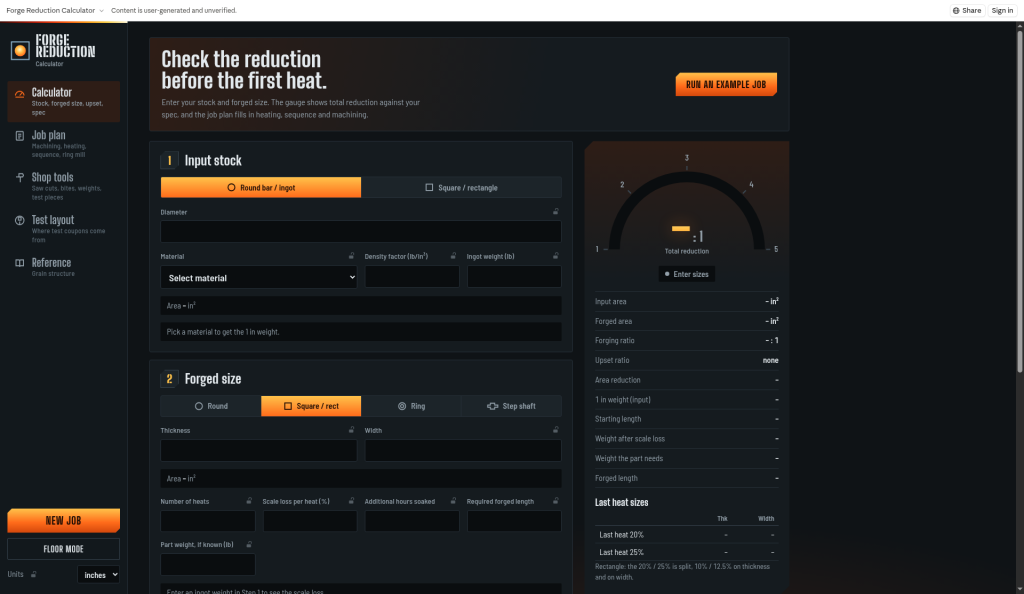
BilletWise main screen

Training on the floor, backed by the engine

New hires learn the why behind every cut and heat, and experienced hands get answers fast.

Train new sawyers

Saw cut lists, shape weights and test piece lengths walk a new sawyer through the job step by step.

Train new forgers

Bite planner, forging sequence, last-heat sizes and Floor mode show the operator what the bar should look like at each heat.

Fewer scrapped forgings

Reduction vs. spec, clean-up checks, grade forging ranges and upcoming issue warnings catch problems before metal moves.

The calculator engine

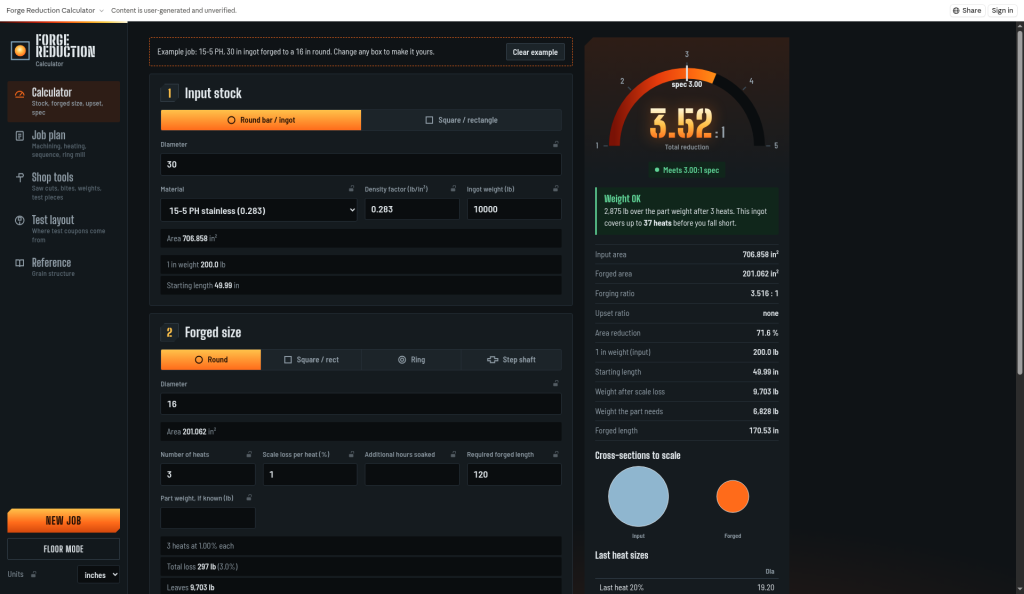
Reduction & ratio

Forging ratio and reduction against the spec with a gauge, plus area reduction, weight per inch, and starting and forged lengths.

Scale & weight check

Scale loss per heat, weight checks, last-heat sizes and scale cross-section drawings.

Grade library

Around 48 grades today (78 in the next update) with producer-sourced forging ranges, plus heating and cooling plans.

Sequence & upset

Forging sequence, upset step and ring mill blank sizing.

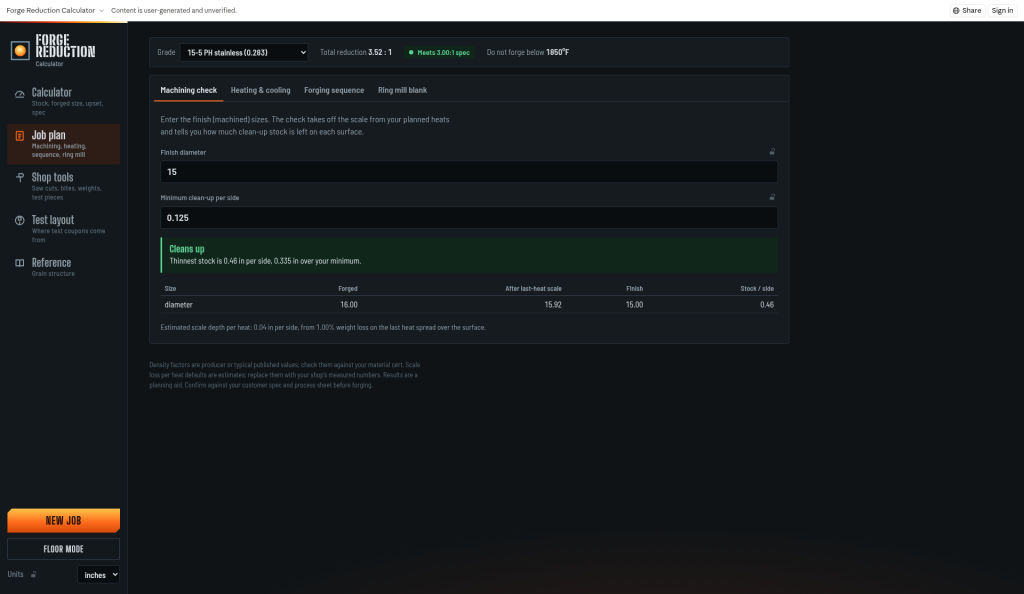
Machining clean-up

Check that the forged size cleans up to the finished part before you commit.

Test layout

¼T and ½T locations with specimen orientation (L, LT, ST, tangential, radial) and test piece sizing.

Shop tools

Saw cuts, bite planner, shape weights and test pieces, all in one place.

Floor mode

Large-text view for operators at the press, plus a grain-structure reference.

Forging-issue warnings coming soon

Grade-specific alerts for issues like hydrogen flaking, grain growth after light final reductions, and sigma phase.
Gear that survives the floor

Rugged tablets, heavy-duty cases and mounts we recommend for running BilletWise at the press.

See recommended floor gear

See it in action

Example job results
Example job results
Machining clean-up check
Job input screen
Job inputs

How it works

  1. 1

    Enter the job

    Grade, starting ingot or billet, finished size and the spec's minimum reduction.

  2. 2

    Review the plan

    See ratio vs. spec, heats, scale, weight, heating and cooling, and the clean-up check.

  3. 3

    Lay out tests

    Place test pieces at ¼T or ½T with the right orientation and extra length to forge.

  4. 4

    Take it to the floor

    Switch to Floor mode for the operator at the press.

Simple shop pricing

One flat monthly price per site, not per employee. Built for mid-size shops (around 150 staff) where about 10 people plan and run forgings. Every plan includes unlimited floor tablets.

Launch pricing: early shops lock in these rates.

Free calculator

$0

  • Core reduction calculator
  • Grade library
  • Inches / mm
Try it now

Shop

$199 /site/mo

or $1,990/yr (2 months free)

  • About 10 active users per site (floor & office)
  • Unlimited floor tablets
  • Floor mode & all shop tools
  • Save & share jobs
  • PDF process sheets & travelers
  • Custom material library
Start free trial

Shop Plus

$449 /site/mo

  • Everything in Shop
  • Multi-press or multi-site shops, more users
  • Forging-issue warnings & training checklists
  • Onboarding help & priority support
Contact us

Get early access

Free shop trial for forge shop supervisors, trainers, engineers and planners.

FAQ

Is this a substitute for the customer spec?

No. BilletWise is a planning aid. Always confirm reductions, temperatures, test locations and every other requirement against the customer spec, the purchase order and your shop's approved procedures.

Where does the grade data come from?

Forging ranges come from producer datasheets and published references, and the source is shown in the app. Where no source is given, values are marked as a close family match or "not stated" rather than guessed.

Does it work in metric?

Yes. Switch between inches and mm at any time.

Can operators use it on the floor?

Yes. Floor mode shows large text for tablets at the press.

Do I need to install anything?

No. It runs in a web browser.

Can I add my own materials?

Custom material libraries are planned for the paid tier.